Steps
-
Open the contact page on this website and use the form or the email address shown there.
-
Write what you were doing, what you expected, what happened and the exact message on the screen. Say which business and branch.
You should see: We can find the problem without a long back and forth.
-
If we ask to look inside your business, the owner clicks Settings > Support access, then Give support access. Say why, what they can do and for how long, then click Give access.
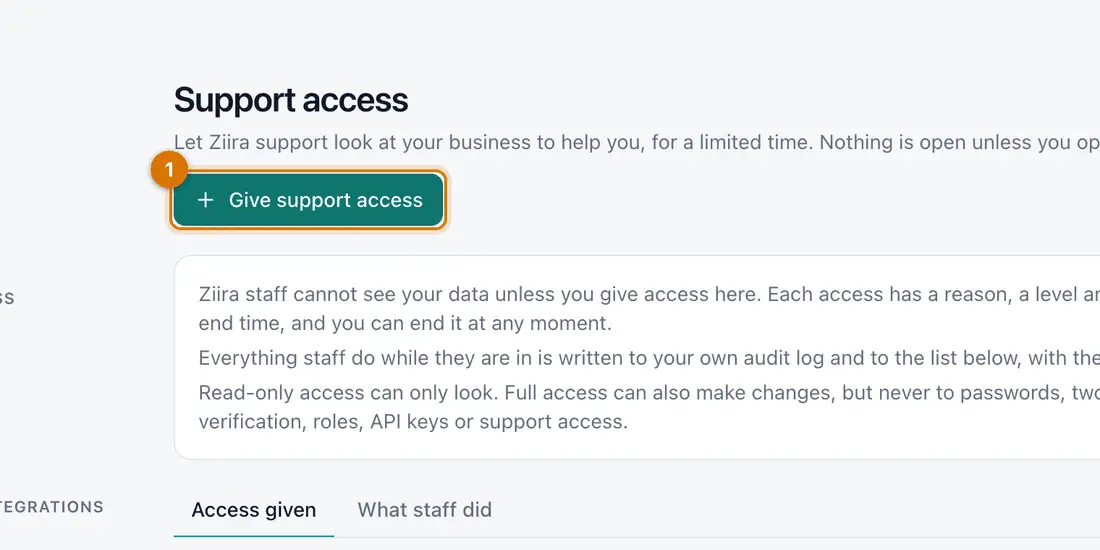
- Give support access
You should see: Support can come in only until the end time you chose.
-
To stop it sooner, click End access on the same page.
Everything our staff do is written to your own record. They never sign in as you.

If something goes wrong
I did not get a reply
Check your spam folder, and that you typed your email correctly in the form.
Someone asked for my password
Never share your password or codes, even with people who say they are from Ziira. Use Support access instead.
I want my data removed
Click Settings > Privacy to record and answer a privacy request. Backups may still hold erased data for a time.
Still stuck? See Fix common problems.