Before you start
- The People add-on is switched on.
Steps
-
Click People > Employees, then New employee.
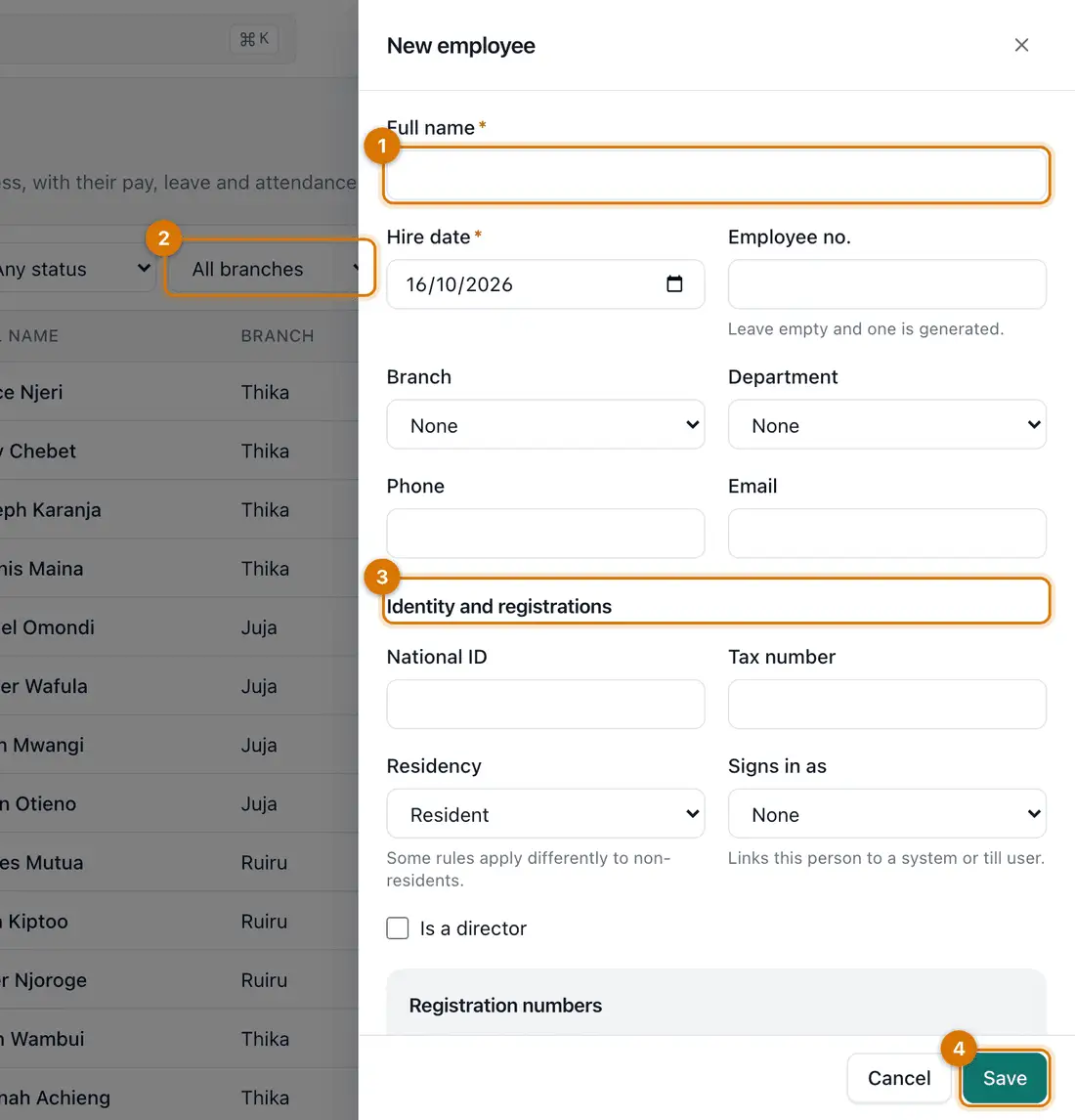
- Name and hire date
- Branch and department
- Identity and registrations
- Save
-
Type the Full name and Hire date. Leave Employee no. empty and Ziira numbers them.
-
Choose the Branch and Department if they apply. Add Phone and Email.
-
Under Identity and registrations, add the National ID and Tax number. Choose Residency.
-
If this person also signs in to Ziira, pick them in Signs in as. Click Save.
You should see: The employee's page opens, with the tabs Profile, Pay, Leave, Attendance and Payslips and tax card.
-
Open the Pay tab and click Propose basic pay. Type the Basic pay and the date it starts From. Click Propose.
A different person must approve it before payroll uses it.

If something goes wrong
I cannot see People in the menu
The People add-on is off, or your role does not include it. Ask the owner.
I typed a wrong ID number
Open the employee, click Edit and correct it. The old value stays in the history.
An employee left
Open them and click Record departure. Their history stays.
Still stuck? See Fix common problems.