Before you start
- An Owner has switched on the AI assistant (steps 1 and 2).
Steps
-
An Owner clicks Settings > General, then the AI assistant tab.
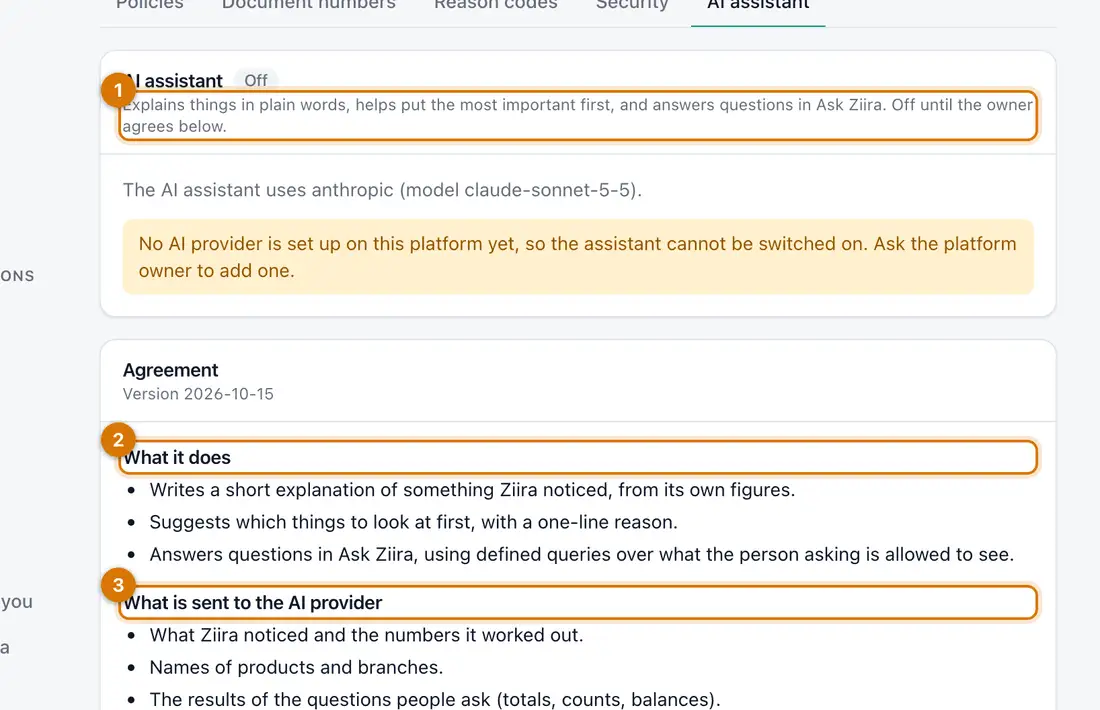
- Status
- What it does
- What is sent
You should see: A page that says the assistant is Off until an Owner agrees.
-
Read the Agreement and what is sent. If you agree, switch the assistant on.
-
Click Intelligence > Today and find Ask Ziira.
-
Type a question such as
Which branch sold the least last week?and click Ask.You should see: An answer in plain words, with the records it came from.

If something goes wrong
It says Ask Ziira is not turned on
Click Turn on Ask Ziira. An Owner must agree first.
It cannot answer
Ask about sales, stock, customers, suppliers or the books.
Still stuck? See Fix common problems.