Ziira looks at your records every few hours. This page lists everything it watches.
Steps
-
Click Settings, then What Ziira watches under Intelligence.
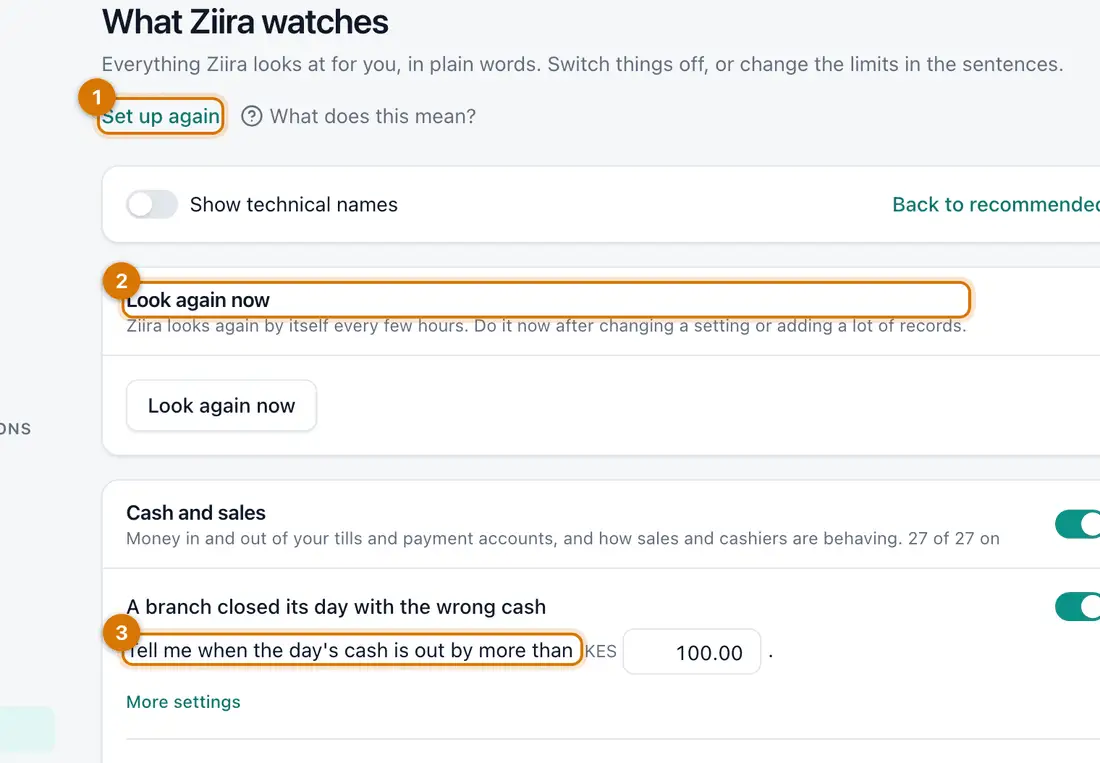
- Set up again and Back to recommended
- Look again now
- A sentence with its limit
You should see: Topics such as Cash and sales, each showing how many are on, for example 27 of 27 on.
-
Read a sentence, for example Tell me when the day's cash is out by more than. Type a new number in the box.
-
Click Save under that sentence. Click Back to recommended to undo all changes.
-
To stop watching something, switch it off with the switch beside it. Switch a whole topic off at the top of its list.
-
Click Look again now to run the checks straight away.
You should see: Ziira looks again by itself every few hours.

If something goes wrong
I switched off the wrong thing
Switch it on again, or click Back to recommended.
Something I told Ziira is normal comes back
Look under What you told Ziira is normal on this page and click Remove.
Still stuck? See Fix common problems.