A thing to look at is a question, not an accusation.
Steps
-
Click Intelligence > Things to look at. The top five are also on Today.
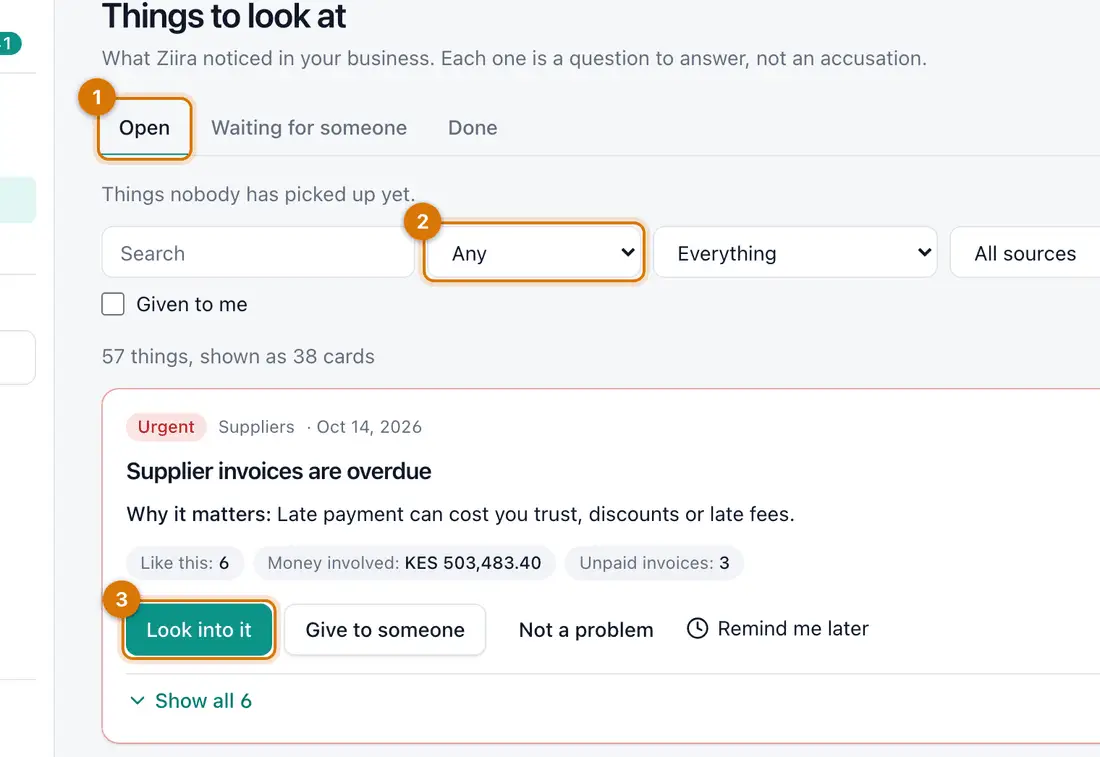
- The tabs
- Filters
- A card
You should see: Cards, most urgent first. The tabs are Open, Waiting for someone and Done.
-
Click Look into it on a card.
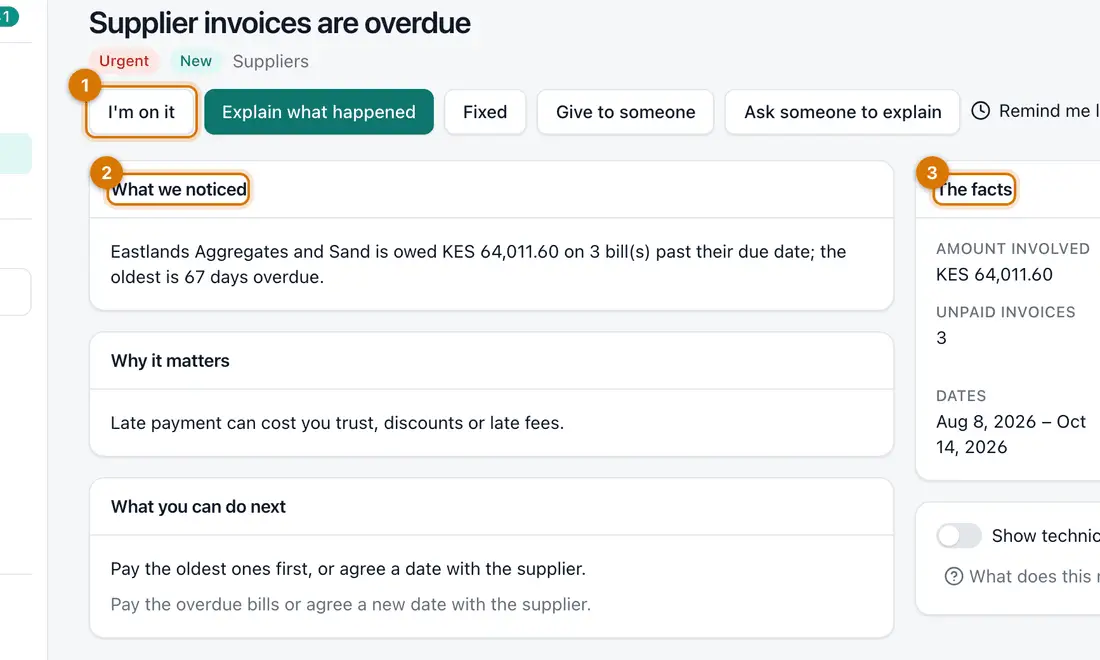
- The buttons
- What we noticed and why it matters
- The facts
You should see: What we noticed, Why it matters, What you can do next and The facts.
-
Click I'm on it so others know you are looking.
-
Click Give to someone to hand it on, or Ask someone to explain to send them a question.
-
When it is dealt with, click Fixed. If it is fine, click Not a problem, choose what Ziira should do, and click Save.
-
To look at it later, click Remind me later and choose In 3 days or Next week.


If something goes wrong
I cannot ask someone to explain
Set How much Ziira does for you to Ask or higher. See Choose how much Ziira does for you.
Ziira keeps raising something that is normal
Click Not a problem, then Ignore this kind of thing at that branch, for that person, or everywhere. Choose For 30 days or Always.
I cannot give it to a colleague
Only people who can answer for that branch can be chosen.
Still stuck? See Fix common problems.