You answer a few questions, confirm your email, and your business is ready.
Before you start
- An email address you can open now. Ziira emails you a link to confirm it.
Steps
-
Open the sign-in page and click Create a business. From this website, click Get started.
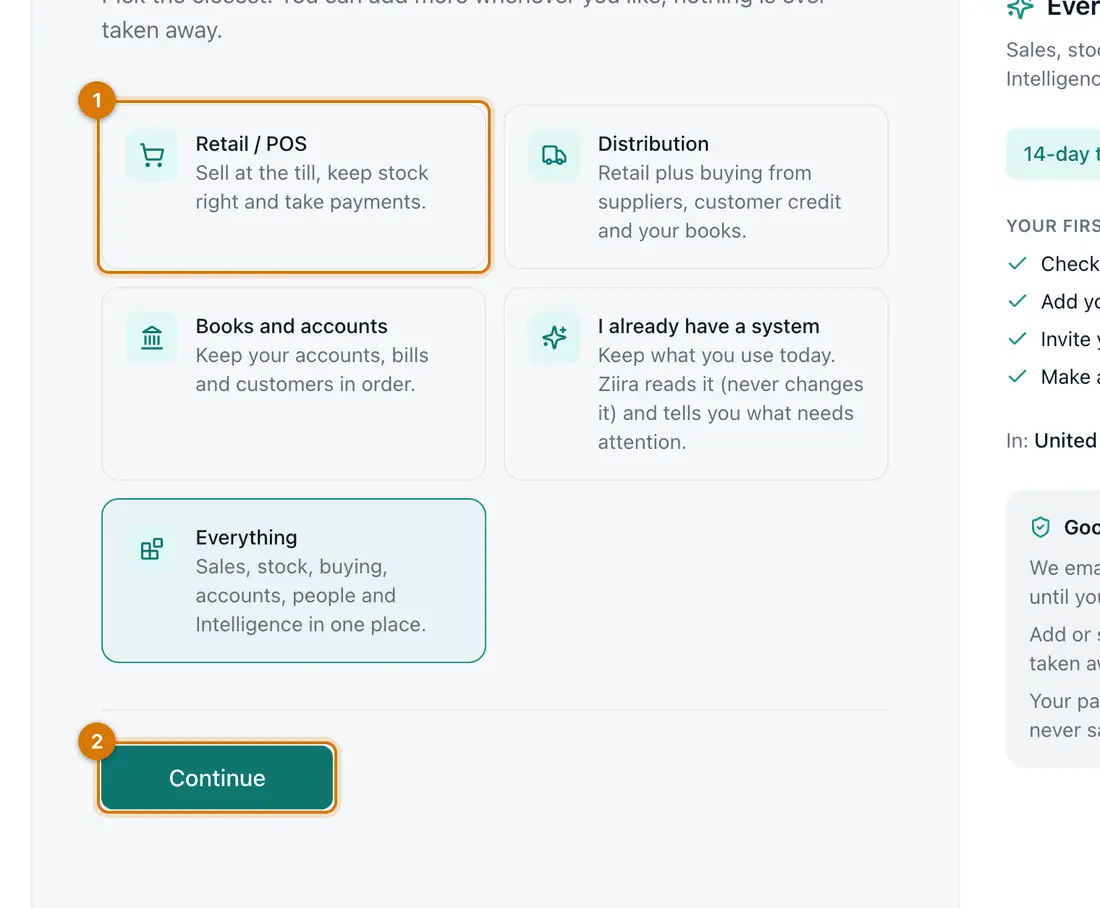
- The five starting sets
- Continue
You should see: A page titled What do you need? with five cards.
-
Click the card closest to your business, then click Continue.
Not sure? Choose Everything. You can add more later.
-
Type Your full name and Work email, then click Continue.
-
Type a Password of at least 8 characters, type it again, and click Continue.
-
Type your Business name, choose your Country and check the Currency. Click Continue.
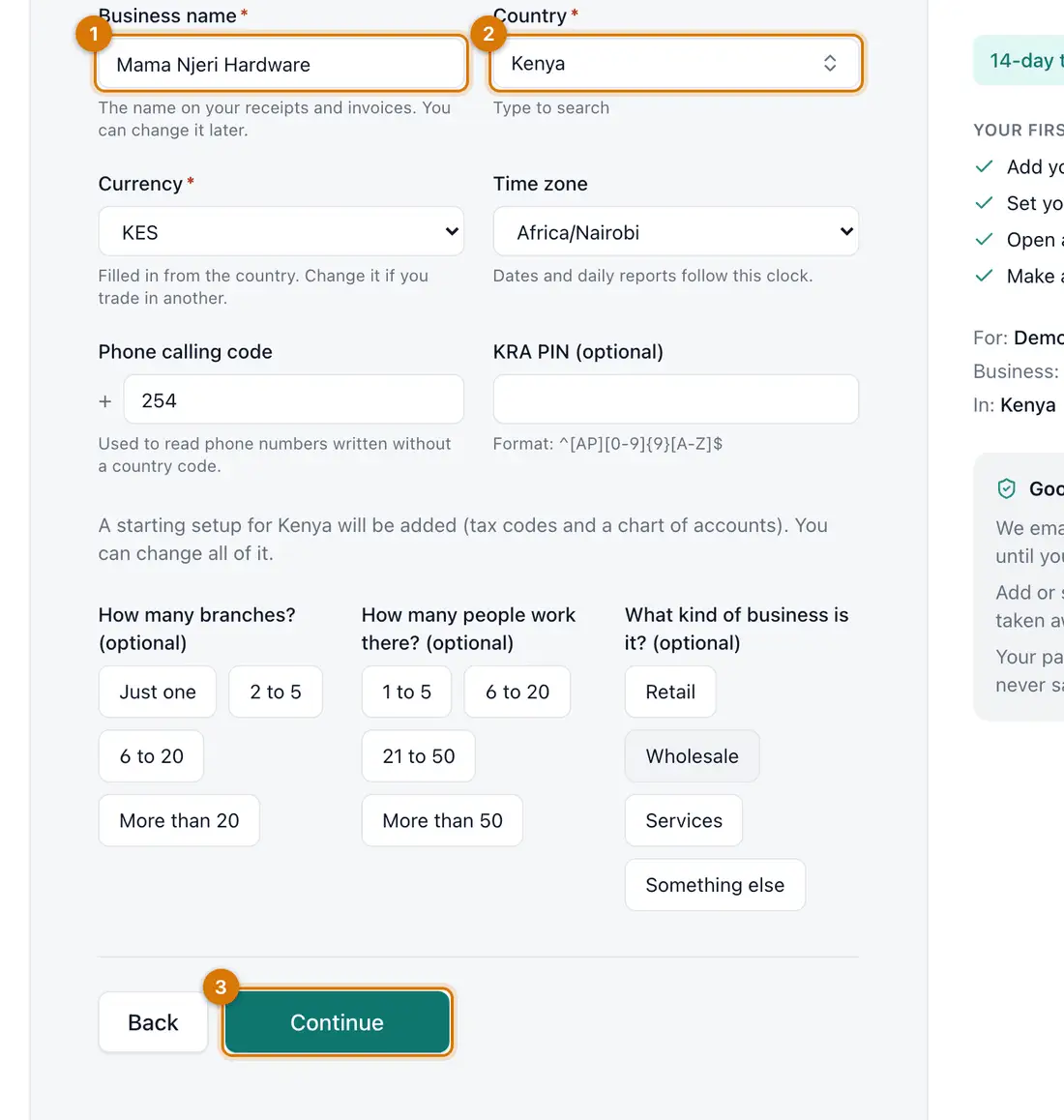
- Business name
- Country and currency
- Continue
You should see: The time zone, phone calling code and tax details fill in from your country. The tax number is optional.
-
Check your answers, tick the box to agree to the terms, and click Create my business.
You should see: A page asks you to check your email. Nothing is created until you open the link.
-
Open the email from Ziira and click the link.
You should see: Your business is created in a moment and you are signed in on Home.
The link works once and expires after a day.


If something goes wrong
The email does not arrive
Look in your spam folder. Then register again with the same address: the new link replaces the old one.
The link says it has expired or was already used
Register again to get a new link.
I picked the wrong starting set
Sign in, click Add-ons, then Change edition, and pick another set. Nothing is switched off or deleted.
Still stuck? See Fix common problems.