A check runs only when it has the data it needs. A missing check is silent, not passed.
Steps
-
Click Intelligence > Today and scroll to What Ziira can see and What Ziira can check. The second panel is also on Connected systems.
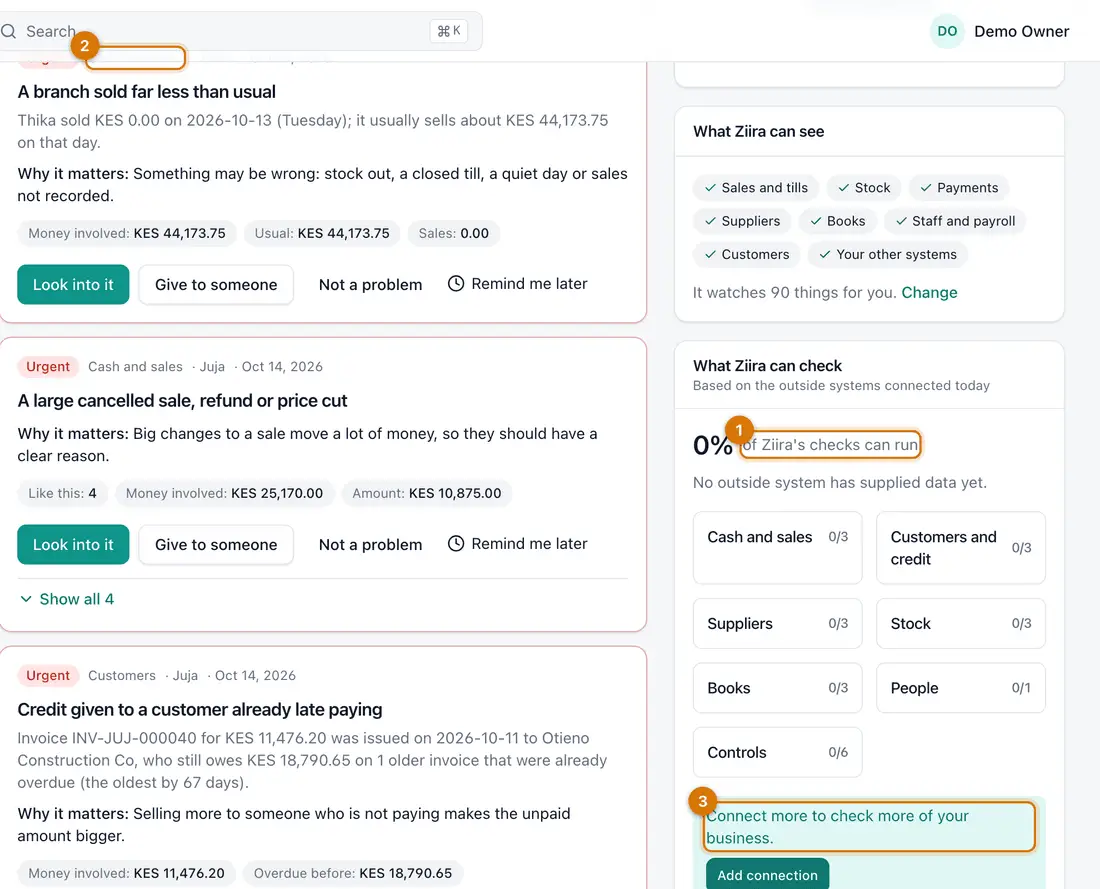
- Percentage that can run
- Areas and how many checks are covered
- Add connection
You should see: A percentage, and areas with counts such as Cash and sales 0/3.
-
Read each area. A count of 2/3 means two of three checks have their data.
-
Click Add connection to cover more. See Connect your system or upload a statement.

If something goes wrong
It says no outside system has supplied data, but I use Ziira
The panel counts outside systems. Ziira's own records are always checked and appear under Things to look at.
A count did not change after an upload
Check you clicked Looks right, and that the connection shows a recent Last successful read.
Still stuck? See Fix common problems.