Ziira compares the bill with what you ordered and what arrived.
Before you start
- The goods are already received.
Steps
-
Click Buy > Supplier bills, then Enter bill.
-
Click Choose a supplier. Type the Supplier's invoice no. and the Invoice date. Leave Due date empty to use the supplier's terms.
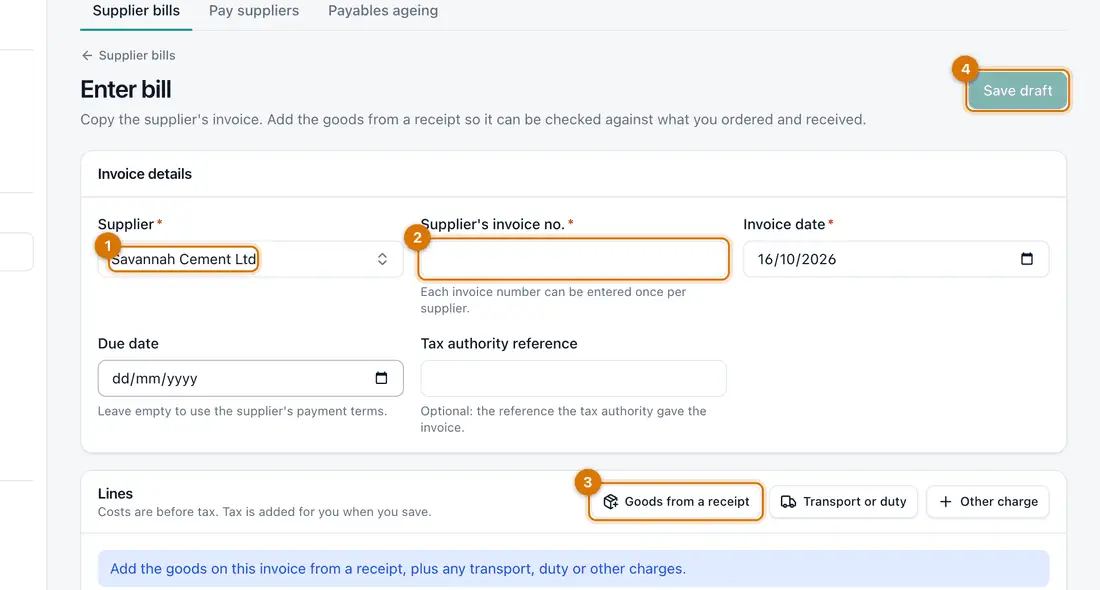
- Supplier
- Invoice number and date
- Goods from a receipt
- Save draft
-
Click Goods from a receipt. Tick the lines this invoice covers and click Add selected. Use Transport or duty and Other charge for extra lines.
-
Check the Quantity and Unit cost (before tax) against the invoice. Click Save draft.
You should see: The bill opens as a Draft with a number such as BILL-MAIN-000001.
-
Click Submit and check, then Submit.
You should see: A bill that agrees with the order and receipt becomes Posted and Matched.
-
Click Pay. Type the Amount, check Paid on, and choose the Method and Pay from. Add the Reference and click Pay.
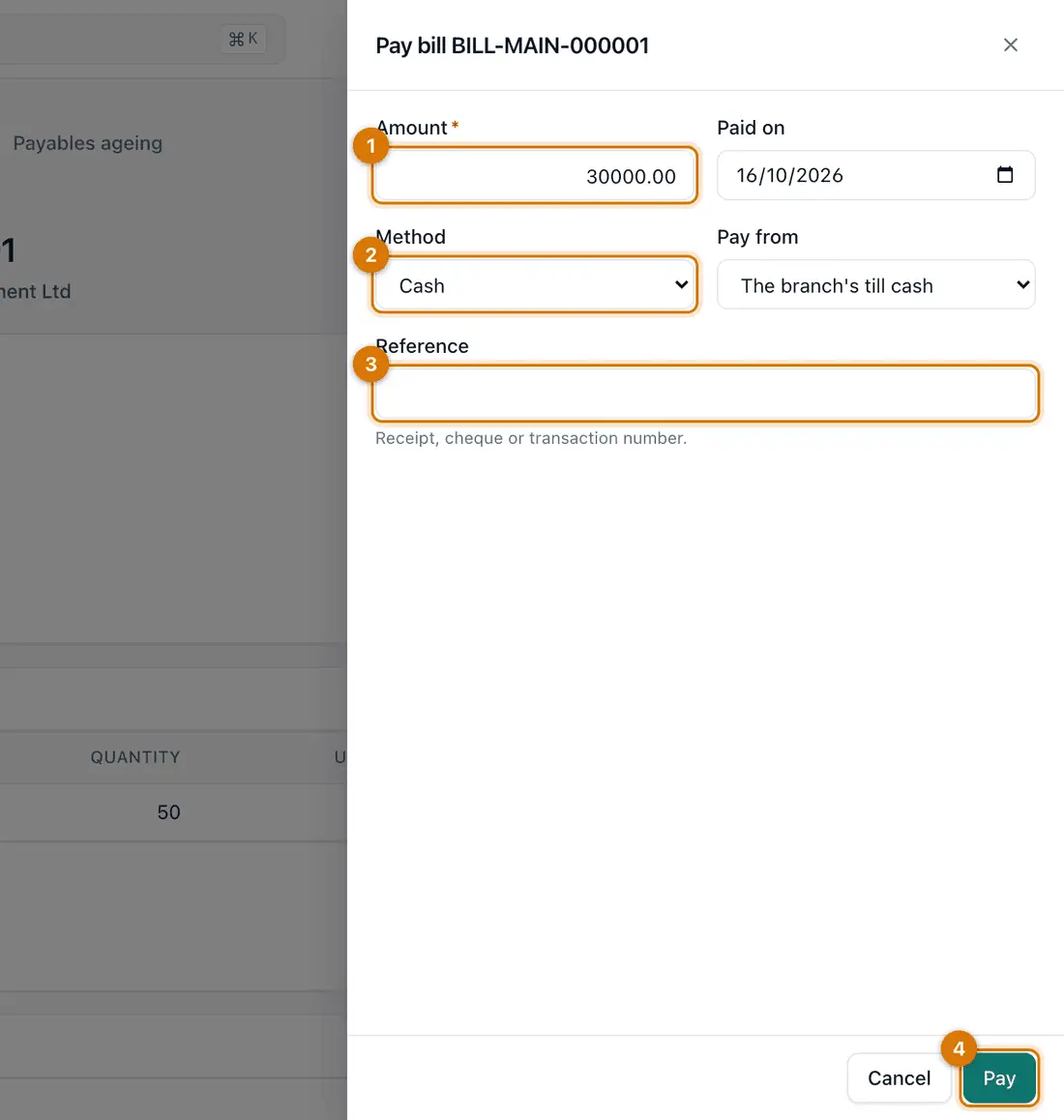
- Amount
- Method and pay from
- Reference
- Pay
You should see: Payments made lists the payment and Still owed goes down.
-
To pay several bills to one supplier at once, click Pay suppliers, choose the supplier, tick the bills and click Pay.


If something goes wrong
The bill says Does not match
Read the differences. Ask the supplier if the price or quantity is wrong. If you accept it, someone other than the person who entered it must click Accept and post.
That invoice number is already entered
Each invoice number can be entered once per supplier. Search Supplier bills for it so you never pay twice.
I entered the bill wrongly
Open the bill, click More and choose Reverse bill. This only works if it has no payments or credit notes.
Still stuck? See Fix common problems.