Every business starts at Watch. Ziira never moves money.
Before you start
- You are an Owner. Only an Owner can raise this to Prepare or Act for me.
Steps
-
Click Settings > How much Ziira does for you.
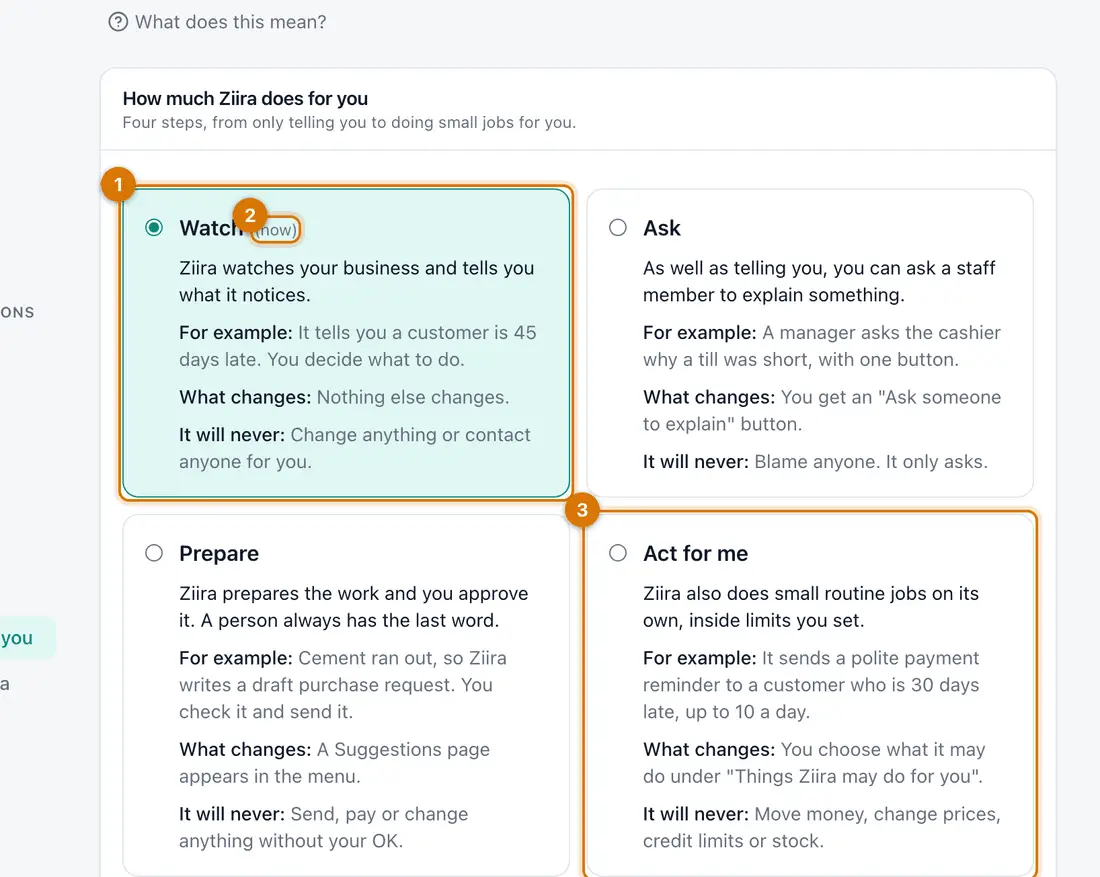
- Watch, the first step
- The one in use
- Act for me, the last step
You should see: Four steps: Watch, Ask, Prepare and Act for me.
-
Click the one you want, then click Change to confirm.
You should see: A message shows the new setting. The change is recorded.
-
For Act for me only: under Things Ziira may do for you click Add something Ziira may do, choose a job and set Most times a day.
-
Open What Ziira did to see every job done, by a person or by Ziira.

If something goes wrong
I cannot raise it
Only an Owner can raise it to Prepare or Act for me.
Act for me does nothing
Nothing runs until you add something Ziira may do.
I want to go back
Click Watch. It applies at once.
Still stuck? See Fix common problems.