Quick start picks what Ziira watches and sets your daily summary.
Steps
-
Click Intelligence > Today, then click Start on Set up Ziira in two minutes.
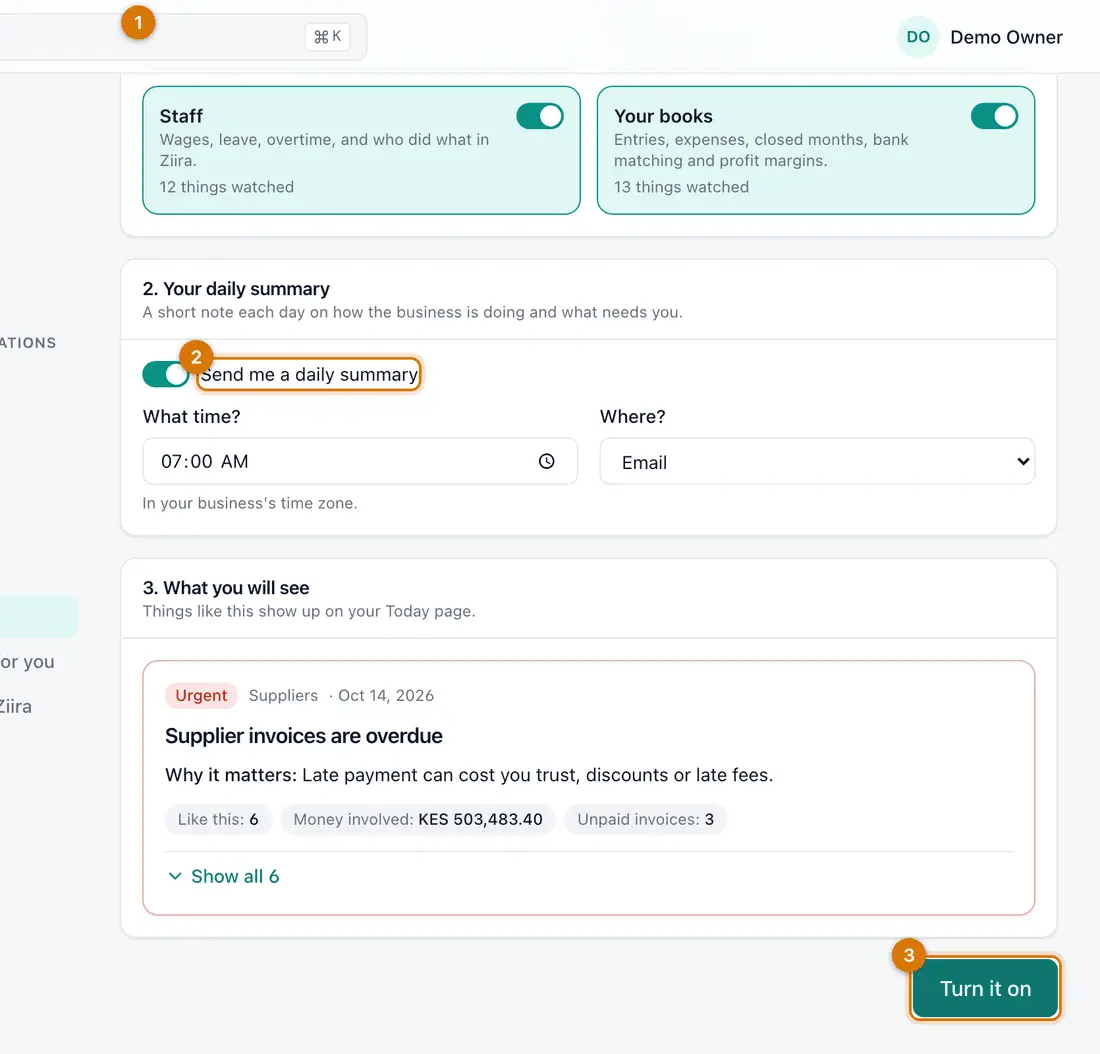
- What matters to you
- Your daily summary
- Turn it on
You should see: The Set up Ziira page.
-
Under 1. What matters to you? keep Everything (recommended), or tick only the topics you want.
-
Under 2. Your daily summary tick Send me a daily summary, then choose What time? and Where?.
-
Look at 3. What you will see, then click Turn it on.
You should see: A message: Ziira is set up.

If something goes wrong
It says to pick at least one
Tick a topic, or Ziira watches nothing.
I want to change this later
Click Settings > What Ziira watches, then Set up again.
Still stuck? See Fix common problems.