Steps
-
Click Customers > Customers, then New customer.
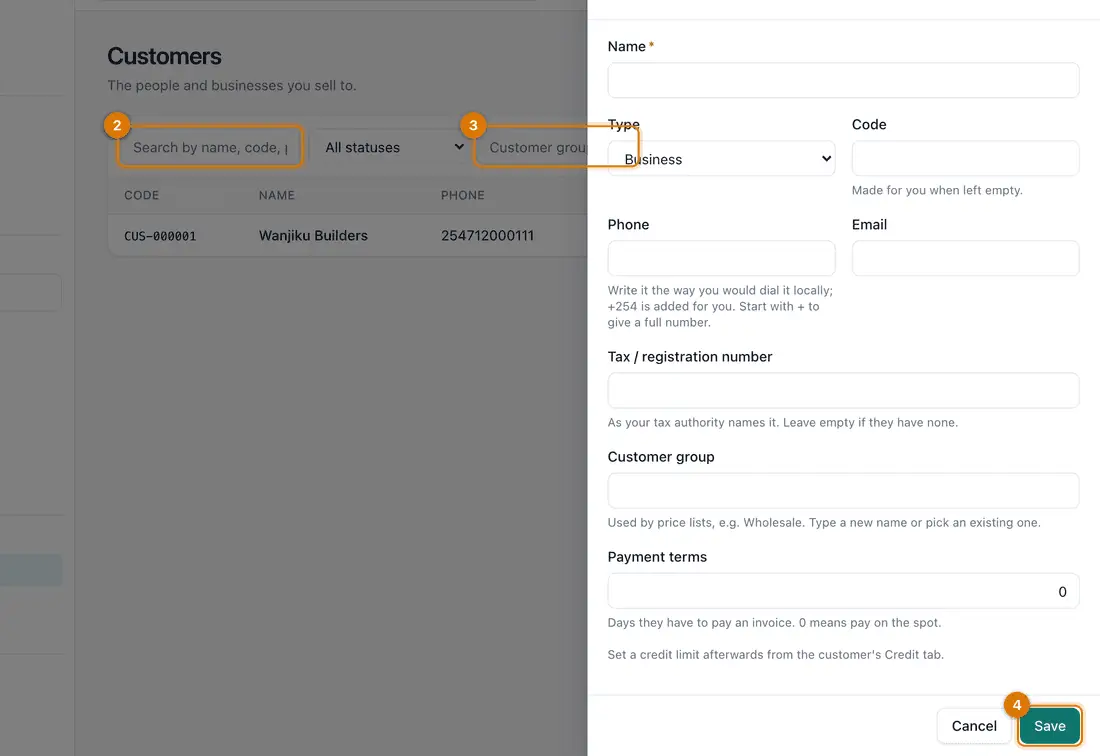
- Name and type
- Phone and email
- Customer group and terms
- Save
-
Type the Name. Choose the Type: Business or Individual. Leave Code empty and Ziira numbers them.
-
Add the Phone and Email. Write the phone number as you would dial it locally. Ziira adds your country code.
-
Add the Tax / registration number, a Customer group (for example
wholesale) and Payment terms if they apply. Click Save.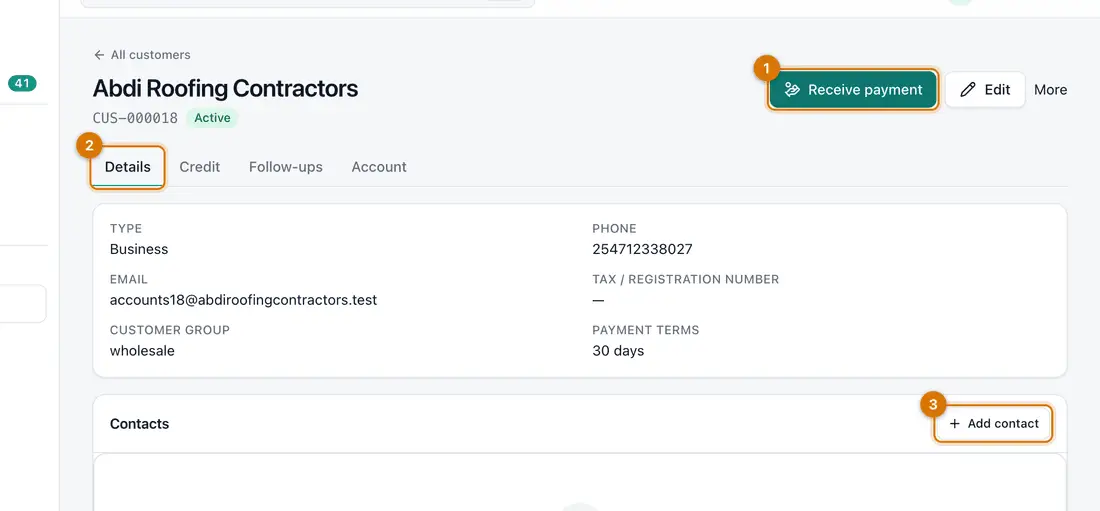
- Receive payment
- Tabs
- Add contact
You should see: The customer's page opens, with the tabs Details, Credit, Follow-ups and Account.
-
Under Contacts, click Add contact to record the buyer or accountant you deal with.


If something goes wrong
The phone number is wrong
Check the country code under Settings > General. Or start the number with + to give the full number.
A customer asked not to be messaged
Open them, click More and choose Do not contact. Ziira then sends them nothing.
I have two records for one customer
Keep the one with invoices and edit it. Search the list before adding someone new.
Still stuck? See Fix common problems.